Free · No account · Nothing leaves your browser
Resume Generator Pro
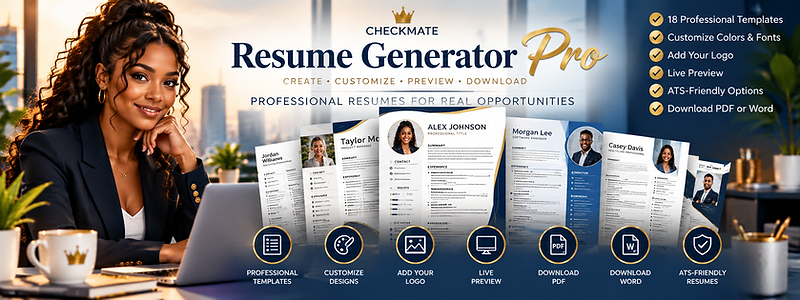
Choose from 18 professionally designed templates, fill in your experience, and watch the document build itself as you type. Download a polished PDF, an editable Word file, plain text, or a dedicated ATS-friendly version of the same resume.
Showing 6 of 18 templates
Your resume stays on your device
There is no account, no upload and no server-side copy. Your draft is saved in this browser so you can come back to it, and every PDF, Word and text file is generated on your device. Clearing your browser's site data removes the draft for good.
How to build a resume that gets read
Start with the parts every reader looks for: your name, a professional title, and contact details they can act on. Then lead with your most recent or most relevant experience, because that is where attention goes first.
Write accomplishment bullets rather than job descriptions. A useful shape is what you did, how you did it, and the measurable result. "Cut order cycle time 31% by rebuilding the pick-and-pack workflow" tells a hiring manager far more than "responsible for warehouse operations".
Keep the length honest. Most people with under ten years of experience fit comfortably on one page; two pages is normal beyond that. The page counter in the preview is there to help you decide, not to force a limit.
Choosing between the templates
The templates differ in how the page is composed, not only in colour. Classic templates put your experience in one column with dates against the right margin. Sidebar templates move skills, education and credentials into a tinted left column so your experience gets the full width. Compact templates are built for automated screening. Banner and timeline templates give a stronger visual identity for creative and client-facing roles.
If an employer uses an applicant tracking system, the safest choice is one of the ATS-friendly templates, or any template downloaded as its ATS version. The layout changes; your information does not.
Dates, formatting and consistency
Dates are entered month by month and printed in one consistent style throughout, so a resume never mixes "Jan 2021", "01/2021" and "January 2021". Mark a role as current rather than leaving the end date blank, and the resume prints "Present".
Every section can be reordered or switched off, so you can lead with what matters for a particular role: projects for a career changer, certifications for a trade, or publications for an academic post.
Keeping your information private
This tool has no accounts and no server-side storage. Your resume is held in your browser, generated in your browser, and downloaded straight to your device. Clearing your browser's site data removes the draft permanently.
Nothing you enter is sent anywhere, and no resume content is reported to analytics. That is also why there is no sign-in: there is no copy of your resume to protect.
Frequently asked questions
Is Resume Generator Pro really free?
Yes. Every template, every design option, the live preview and all of the PDF, Word and text downloads are free, and there is no account to create and no watermark on your resume.
Does my resume leave my device?
No. Everything you type is held in your own browser, and every file is generated on your device. Nothing is uploaded to a server, and no resume content is included in analytics. Your draft is saved in this browser so a refresh does not lose your work.
What is an ATS-friendly resume?
An ATS-friendly resume follows the conventions automated screening systems read most reliably: a single column, standard section headings, a common font, no tables and no graphics. Every template here can be downloaded as an ATS version built from the same information as your designed resume.
Which file should I send an employer?
Send the PDF when you can choose, because it keeps the layout you designed. Send the Word document when an employer asks for an editable file. The plain-text version is useful for pasting into application forms that have no upload.
Will my resume fit on one page?
The preview shows an exact page count as you type, and tells you when your resume runs onto a second page. Nothing is ever cut off to force a page count, so you can decide whether to shorten a few bullet points or let it run to two pages.
Can I add my company logo?
Yes. You can upload a PNG, JPEG or WEBP logo, then choose its position and size. The image is processed in your browser and never uploaded. Only use a company logo if you have permission to use it, and note that logos are left out of the ATS version.
Can I use the same resume for a different job?
Yes. Your draft stays in this browser, so you can come back, switch template, adjust the design or rewrite a section, and download again without retyping anything.
Do I need to include my Social Security number or date of birth?
No, and you should not. This tool never asks for either. A resume needs your name, contact details, and the experience and qualifications relevant to the role.