Your business
INVOICE
—
From
—
Bill to
—
- Issue date
- Nov 19, 2026
- Payment terms
- Due on receipt
- Status
- Unpaid
| Description | Qty | Unit price | Amount |
|---|---|---|---|
| — | 1 | $0.00 | $0.00 |
| — | 1 | $0.00 | $0.00 |
- Subtotal
- $0.00
- Total
- $0.00
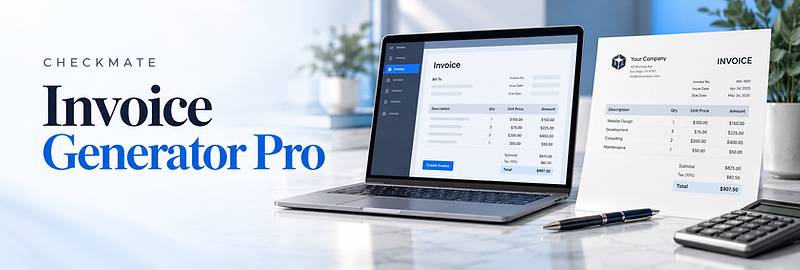
Build a professional invoice, watch it update as you type, and download it as a PDF, print it, or save an editable file you can open again later. No accounting knowledge and no account needed — fill in your details, add what you are charging for, and the totals take care of themselves.
Who the invoice is from. The name is what appears at the top of the invoice.
PNG, JPEG or WebP, up to 2 MB. Kept in this page only — the logo is never uploaded, and it is carried inside the editable invoice file when you save one.
Who the invoice is addressed to. Only the name is required.
Shown on the invoice only when you switch it on in Customise.
The number, the dates and the payment terms. New invoices start on today's date.
Editable. Whatever you type here is what the invoice shows.
Due on receipt — set the due date, or choose a term to fill it in.
Choosing a term fills in the due date for you.
Changes formatting and decimal precision only. Amounts are never converted.
Add what you are charging for. Quantity and unit price are all you need to start.
Optional. Tax is off until you switch it on, and prices start tax-exclusive.
Turn this on to give each line its own tax rate. Nothing is taxed until you do.
Applied after item discounts, and spread across the lines in proportion to their value.
Optional extras such as delivery, handling or a surcharge. Each one states whether it is taxed.
No additional charges. Add one if you need to bill for delivery or anything else.
Record money you have already been paid, so the invoice can show a balance. These are your own notes — nothing is charged or verified.
No payments recorded. The invoice shows the full amount as outstanding.
Choose how the invoice looks. Every template stays readable when printed in black and white.
Informational only. Checkmate does not connect to an account or take payments.
Your invoice is calculated in your browser and never leaves it. No account is needed and nothing is uploaded: save an editable invoice file to reopen your work later, or download a PDF to print or share. Anything you have not saved to a file is lost when you close the page.
Every figure is calculated in whole minor units — cents, pence, yen — so a printed total can never drift by a fraction of a unit. The order is fixed and always the same:
Tax-exclusive pricing treats the amount you enter as the amount before tax, and adds the tax on top. Tax-inclusive pricing treats the amount you enter as already containing the tax, so the tax is extracted from it rather than added to it. Tax starts switched off and pricing starts tax-exclusive — nothing is taxed until you turn it on.
An item discount applies to a single line and can be a percentage or a fixed amount. It can never be larger than the line it applies to. An invoice-level discount applies to the whole invoice after item discounts, and is spread across the lines proportionally so that each line's tax is calculated on the right amount.
Lifecycle and payment status are separate questions. Lifecycle is yours to set: Draft, Issued or Void. Payment status is derived from the payments you record: Unpaid, Partially paid or Paid. Overdue is derived from the due date and the outstanding balance. A draft is never overdue, and downloading a PDF never changes any of them.
Nothing here changes a status behind your back: downloading, printing and saving an editable file all leave the invoice exactly as you left it.
There is no account and nothing is stored for you: the invoice lives in the page and is lost when you close it. To keep your work, save an editable invoice file — a plain file holding every field, line item, setting and your logo — and open it again later to carry on where you left off. Download a PDF when you want to print or send the finished invoice.
A saved file is untrusted input the moment it is opened again, so it is read as data only and every value in it is checked before it reaches the form. Payments recorded here are your own notes about money you have already received: nothing is charged, no account is connected and no payment processor verifies them. Invoice numbers are whatever you choose — they are never checked against anything else.
Each line is worked out as quantity multiplied by unit price, then any item discount is taken off. The item discounts are added up and subtracted from the subtotal, then any invoice-level discount is applied and spread across the lines in proportion to their value. Tax is calculated on each line's discounted amount and grouped by rate, additional charges are added on top, and finally any payments you have recorded are subtracted to give the balance.
With tax-exclusive pricing the amount you enter is before tax, and the tax is added on top of the total. With tax-inclusive pricing the amount you enter already contains the tax, so the tax shown is the portion already inside each line rather than an extra charge. This tool defaults to tax-exclusive, with tax switched off until you turn it on.
Only if you say so. Each additional charge has its own tax switch and its own rate, and the invoice states plainly whether that charge is taxed. Nothing is ever assumed to be taxable or exempt.
No. The invoice is calculated and previewed entirely in your browser and nothing is transmitted at all. There is no account, nothing is stored on a server and nothing is written to your browser's storage. Saving an editable invoice file writes it straight to your own device, and downloading a PDF happens in the browser.
No. Downloading, printing and saving an editable file never change anything on the invoice. Its payment status comes solely from the payments you record by hand, and a new invoice always starts as a draft.
No. Choosing a currency changes the symbol and the number of decimal places only. It never converts an amount from one currency to another.
Lifecycle is what you decide: Draft while you are still working on it, Issued once you have sent it, and Void if it should be disregarded. Payment status is worked out from the payments you record: Unpaid, Partially paid or Paid. Overdue is worked out from the due date and the outstanding balance, and only applies to an issued invoice.
Checkmate needs essential storage to work. With your permission we would also like to use analytics and advertising technologies. You can change this at any time. Cookie Policy
Your business
INVOICE
—
—
—
| Description | Qty | Unit price | Amount |
|---|---|---|---|
| — | 1 | $0.00 | $0.00 |
| — | 1 | $0.00 | $0.00 |